Website Management
Your website still says last spring’s hours. Say the change, check the draft, publish it.
Tell Smooth Operator what changed. It edits a draft, sends you a preview link, and publishes when you say so. Every publish is saved, so the version before is always one step back.
No ticket, no editor to learn. Just the change.
1
Say it.
Tell Smooth Operator what changed: the hours, a price, a photo, a new question for the FAQ. It finds every place on the site that says it.
2
Check it.
The edit lands in a draft, never on the live site, with a preview link you can open on your phone or send to someone else.
3
Publish it.
When you say so, it goes live. The version before is saved, so putting it back is one step.
Tell it what changed. It drafts, you publish.
Smooth Operator is the assistant inside Smoo. It reads your site, edits a draft, and asks before anything goes live.
Nothing goes live by accident. Here’s what stops it.

- Editing and publishing are separate.
- Someone can draft changes without being able to put them live. Publishing needs its own permission.
- Checked on the way out.
- Every publish runs through a content check, and anything it flags is called out so you can take a look.
- Every version is kept.
- Each publish is saved. Roll back to an earlier one, and the rollback is saved too, so you can undo the undo.
- Previews that don’t leak.
- Preview links open without signing in, expire after a day, and are hidden from search engines.
It makes the edit. You decide what goes live.
Every tool has an off switch.
Org admins choose exactly what it may touch — turn off email sending and it can never send mail, for anyone.
It asks before it acts.
Outbound email, CRM writes, anything consequential — it drafts, you approve, edit, or decline. Nothing happens without your say.
Your team is one tap away.
Complex or sensitive conversations hand off to a person with the full history attached — escalation is a feature, not a failure.
Everything is on the record.
Every action it takes lands in the audit log with who, what, and when — review it any time.
Smooth Operator — allowed tools
Org admin · applies to every conversation
Answer from the knowledge base
Update CRM contacts & deals
Requires your approval before it runs
Send email
Requires your approval before it runs
Publish to social
Requires your approval before it runs
Activity log
Drafted follow-up to Aisha Patel · waiting on your approval · 2m ago
Escalated billing question to Sam · full history attached · 1h ago
Fair questions
The questions people ask first. Straight answers.
Will this replace my web designer?
No. It handles the small edits that shouldn’t need a ticket, like hours, prices, a photo or a new FAQ, so your designer’s time goes to the work that needs a designer. Nothing goes live until someone with permission to publish says so.
Can Smooth Operator publish without me?
No. It edits drafts and makes preview links on its own, because neither touches the live site. Publishing and rolling back wait for your yes.
What if a change goes wrong?
Every publish is saved as a version. Roll back to any earlier one, or ask Smooth Operator to fix just the part that’s wrong in a new draft.
Can I show a change to someone before it’s live?
Yes. Send them the preview link. It opens without an account, expires after a day, and search engines are told not to index it.
Which websites can it edit?
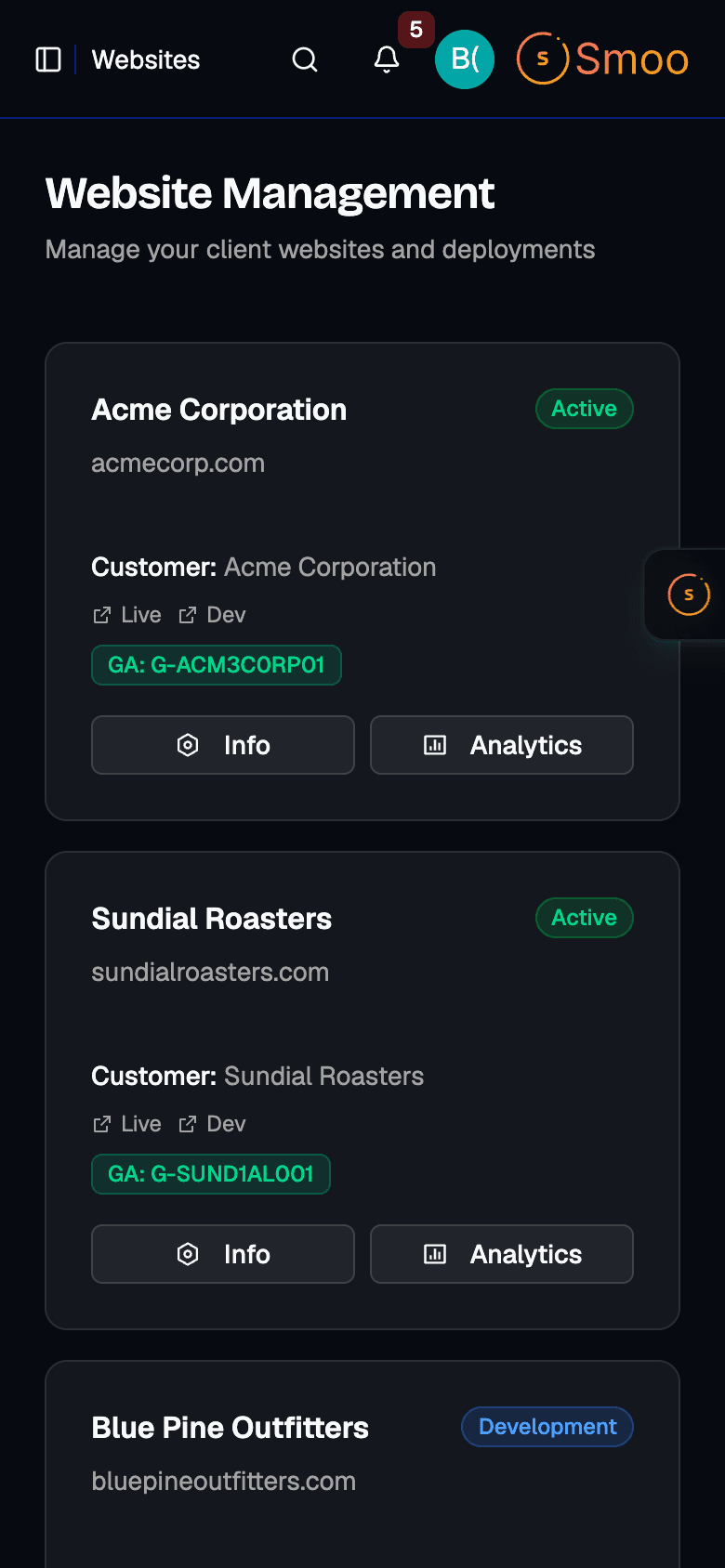
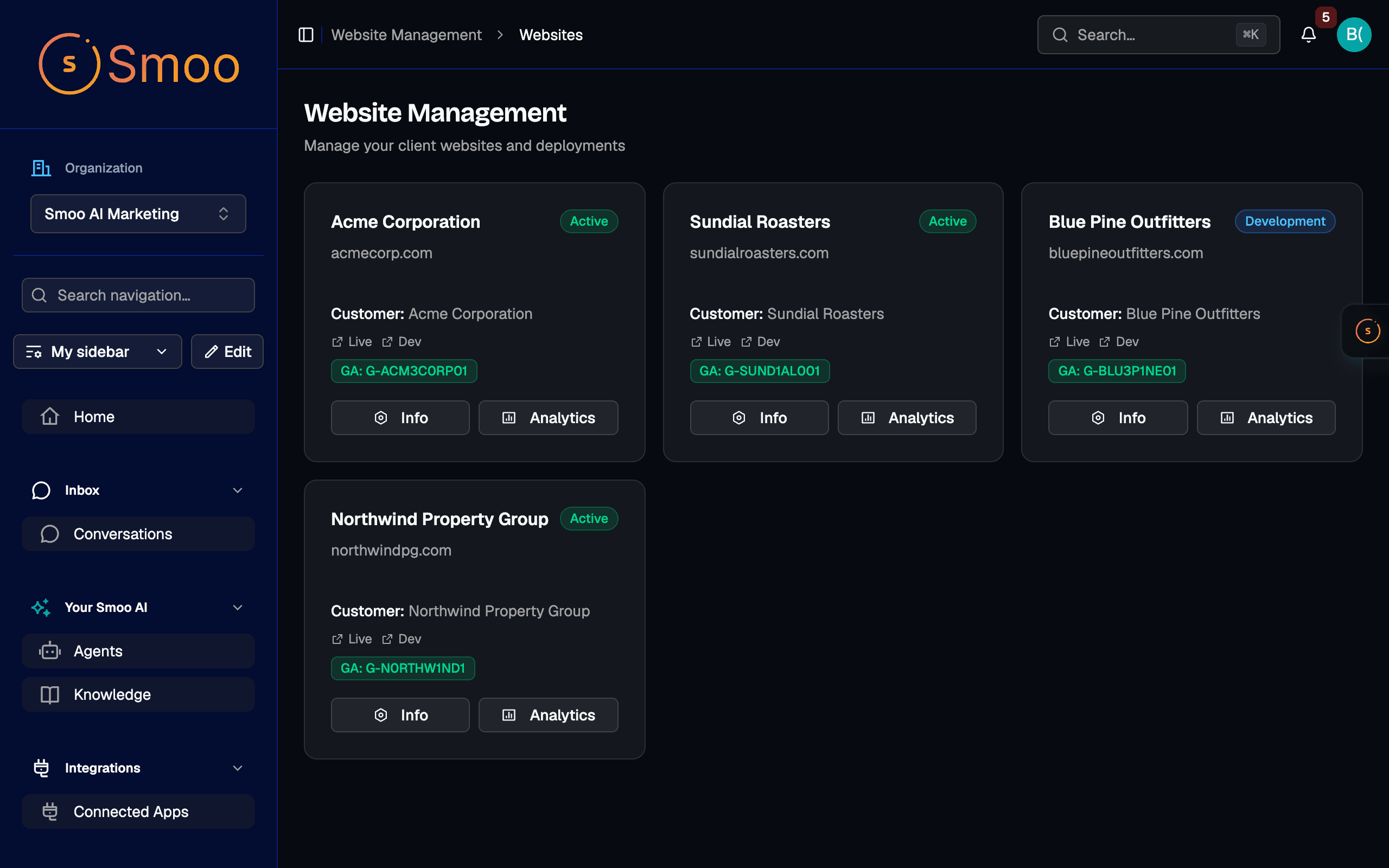
Websites managed in Smoo. Each site shows its live and development links and its Google Analytics ID in one list. If your site lives somewhere else today, talk to us about moving it.
How is this different from a website builder?
A website builder gives you an editor and leaves the editing to you. Here you say what changed in a sentence, the edit arrives as a draft with a preview link, and you still decide what goes live.
Fix the hours today. It takes one sentence.
Start a trial, and tell Smooth Operator the first thing on your website that’s out of date.
Website Management $39/mo
Includes custom domains. 7-day free trial.