Workforce
People join, move and leave every month. Their access, phones and signatures keep up.
Your team directory syncs from Google Workspace or Microsoft Entra, and accounts, roles, phone hours and signatures all run from it. Smooth Operator makes the changes for you, and asks first.
One directory. Everything else follows from it.
1
Sync your directory.
People, departments, org units and the org chart come from Google Workspace or Microsoft Entra, so nobody types the team in twice.
2
Give the right access.
Create Smoo accounts for people on your verified domains and give them a role. Nobody can hand out more access than they hold.
3
Keep the details right.
Schedules and time off decide when someone’s phone rings, and one company signature goes on the mail they send.
Tell it who moved. It sorts their access and asks first.
Smooth Operator is the assistant inside Smoo. It reads roles and seats, explains what a change will do, and waits for your yes.
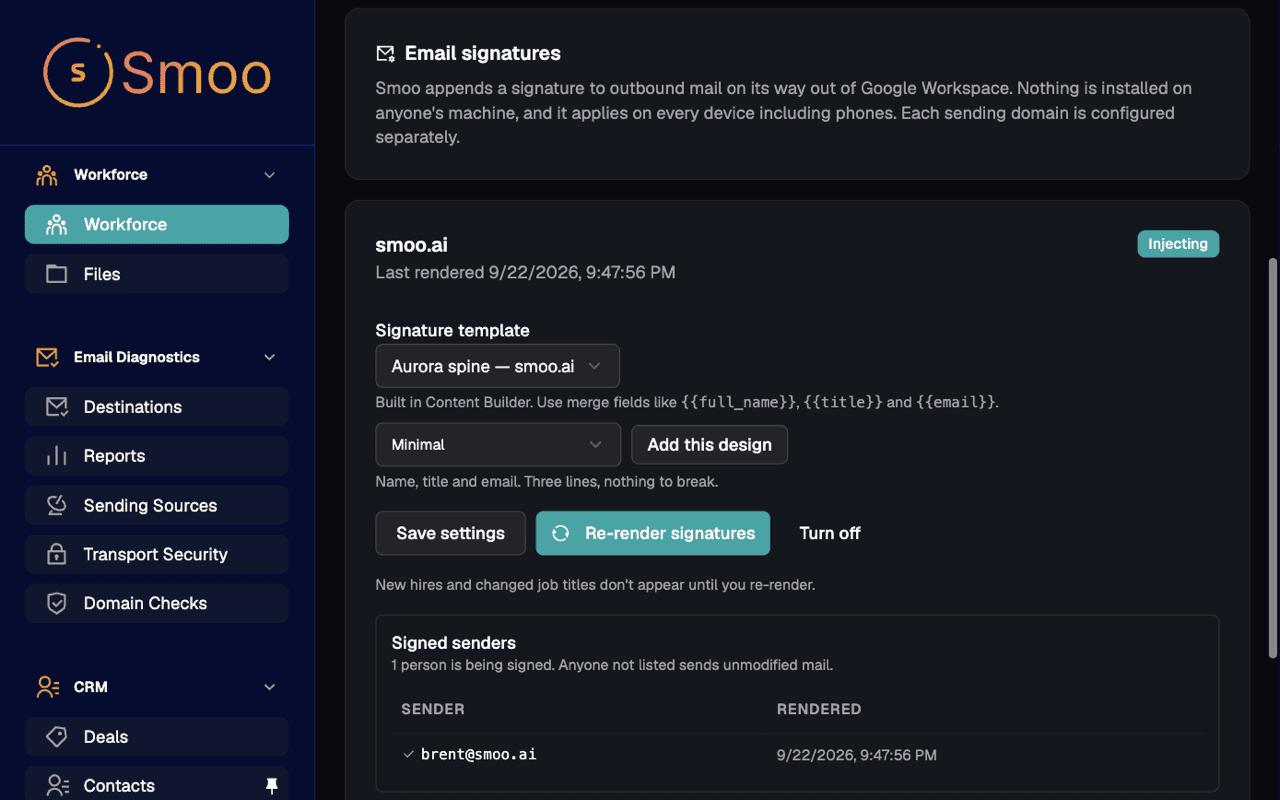
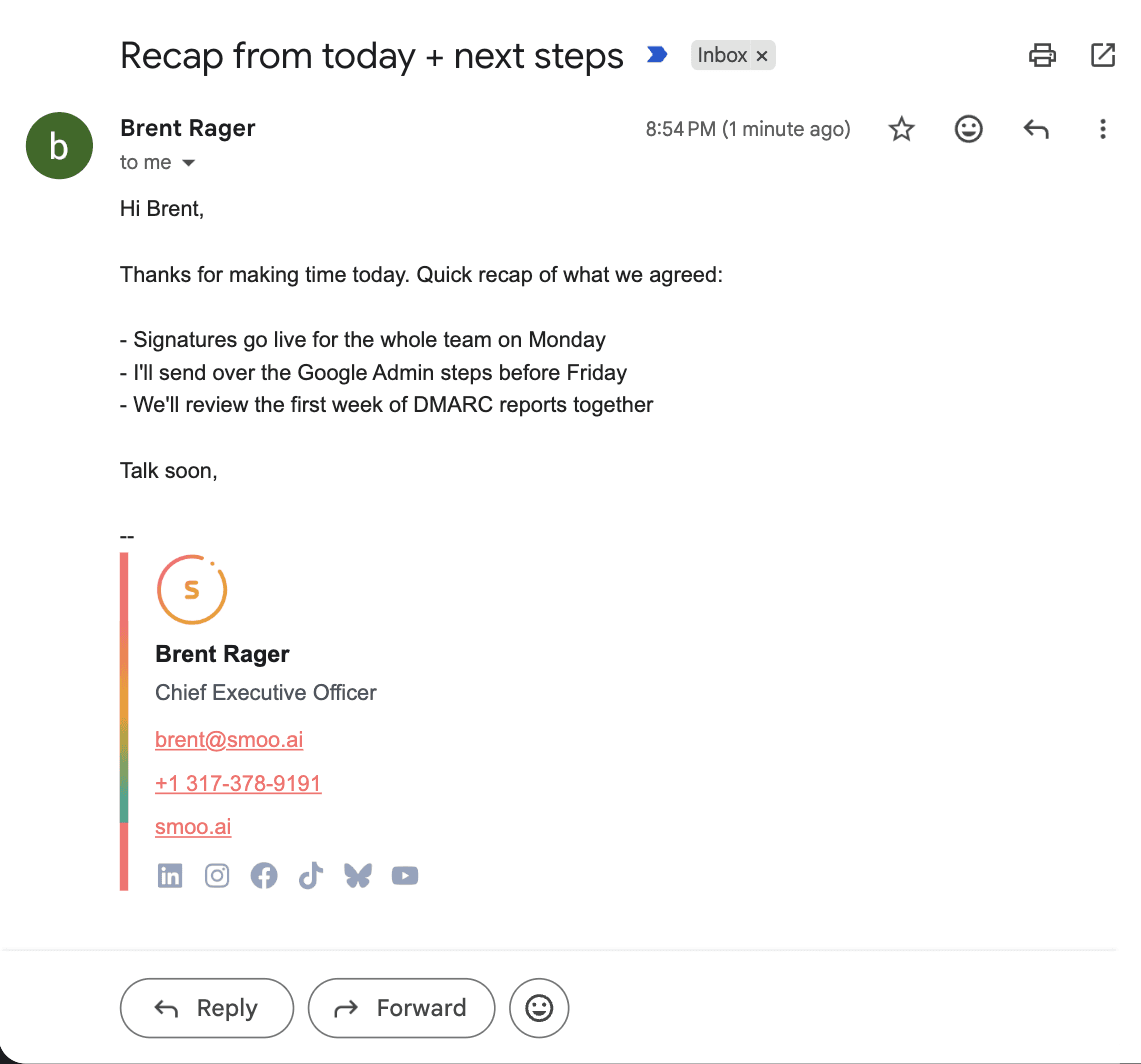
Change a title, re-render once. Every email after it is right.

- The directory stays current.
- Press Sync now and people, org units and groups come in from Google Workspace or Microsoft Entra.
- Role changes in bulk.
- Set a default role for new people, change roles for a whole team at once, and see where each role came from.
- Phones follow the schedule.
- Calls ring someone only during their working hours, and not while they’re on time off.
- Signatures without installs.
- The signature is added to mail on its way out of Google Workspace, so it shows up from every device, phones included.
It does the admin. You decide who gets what.
Every tool has an off switch.
Org admins choose exactly what it may touch — turn off email sending and it can never send mail, for anyone.
It asks before it acts.
Outbound email, CRM writes, anything consequential — it drafts, you approve, edit, or decline. Nothing happens without your say.
Your team is one tap away.
Complex or sensitive conversations hand off to a person with the full history attached — escalation is a feature, not a failure.
Everything is on the record.
Every action it takes lands in the audit log with who, what, and when — review it any time.
Smooth Operator — allowed tools
Org admin · applies to every conversation
Answer from the knowledge base
Update CRM contacts & deals
Requires your approval before it runs
Send email
Requires your approval before it runs
Publish to social
Requires your approval before it runs
Activity log
Drafted follow-up to Aisha Patel · waiting on your approval · 2m ago
Escalated billing question to Sam · full history attached · 1h ago
Fair questions
The questions people ask first. Straight answers.
Will this replace HR or IT?
No. It does the clicking that follows a decision someone already made, like a new role, a calling seat or an updated title, so the people who made that decision don’t spend their afternoon in admin screens. Every change Smooth Operator makes waits for a yes.
Which directories does it sync with?
Google Workspace and Microsoft Entra. People, org units and groups sync in once an admin connects the directory.
Can someone create accounts for any email address?
No. Accounts can only be created for people on email domains you’ve verified in DNS, so the directory can’t be used to let outsiders in.
When does a new title show up in someone’s signature?
When you re-render signatures from the Workforce page. Signatures are added to mail as it leaves Google Workspace, so nothing is installed and phones get them too.
What does it cost?
Starter covers 10 people, Pro covers 25, and Enterprise covers 100 and adds single sign-on. Email Signatures and Email Deliverability are included in every plan, with a 7-day free trial.
How is this different from our identity provider?
Your identity provider still decides who can sign in. Workforce takes that directory and runs the rest of Smoo from it: who holds which role, whose phone rings when, and what the bottom of their emails says.
Sync your directory today. Next month’s moves take a sentence.
Start a trial, connect Google Workspace or Microsoft Entra, and your team, roles and signatures are in one place by the end of the day.
Workforce from $49/mo
Starter: 10 people. Pro: 25 people, $149/mo. Enterprise: 100 people and single sign-on, $499/mo. 7-day free trial.